Pretty Ladies Coloring Pages
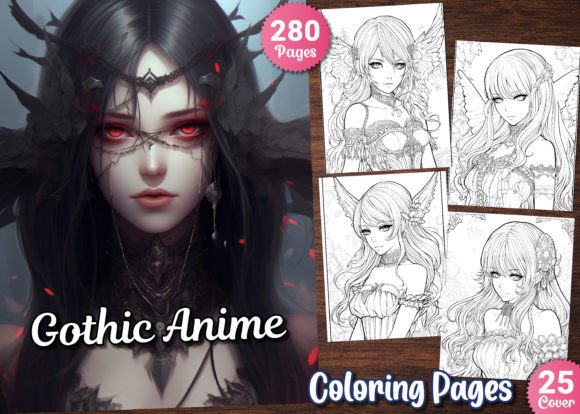
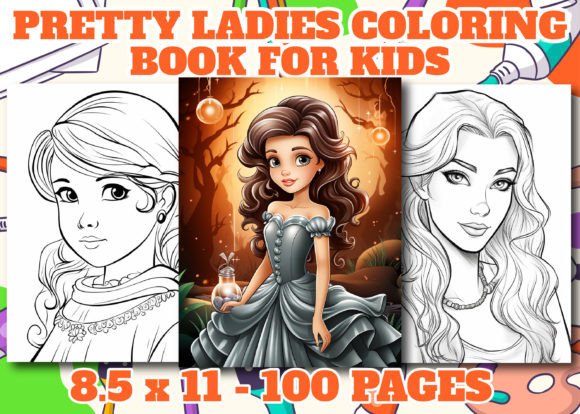
For creators building scalable, high-margin digital products on Amazon KDP—or expanding their print-on-demand (POD) portfolio—Pretty Ladies Coloring Pages is not just another design bundle. It’s a production-ready asset set engineered for speed, quality control, and platform compliance. Designed specifically for adult coloring book publishers, this collection delivers 50 unique illustrations optimized for commercial use: each rendered at 300 DPI, A4 and US Letter (8.5” × 11”) dimensions, and supplied in three editable formats—JPG, PNG, and AI—plus a professionally styled cover image.
Where This Fits Into Your Publishing Workflow
Most KDP sellers spend disproportionate time on layout, resizing, format conversion, or troubleshooting resolution mismatches—especially when sourcing third-party art. Pretty Ladies Coloring Pages eliminates those bottlenecks at the source. It sits early in your production pipeline: after concept validation and before interior formatting or cover integration. You’re not buying clipart—you’re acquiring production-grade assets that meet Amazon’s technical requirements out of the box. That means less time prepping files and more time iterating on titles, keywords, categories, and marketing angles.
If you’re running multiple KDP titles simultaneously—or managing a seasonal release calendar—this bundle supports parallel workflows. You can assign one team member to write descriptive blurbs while another builds interiors using these files. Because all 50 designs are consistent in line weight, contrast, and negative space, your interior pages maintain visual cohesion without manual adjustments. That consistency directly impacts buyer trust and repeat purchases.
How It Integrates With Core Tools and Platforms
The file structure is built for compatibility—not compromise. The included AI (Adobe Illustrator) files let you scale, recolor, or reposition elements without quality loss—ideal if you need to adapt a design for a themed sub-series (e.g., “Vintage Fashion Ladies” or “Botanical Ladies”). PNGs retain transparent backgrounds, enabling quick layering in Canva or Affinity Publisher for custom headers, section dividers, or bonus pages. JPGs drop straight into Kindle Direct Publishing’s interior upload tool with no compression warnings or pixelation flags.
You don’t need Adobe Creative Cloud to use this effectively. Free tools like Inkscape handle AI imports (via SVG export), and GIMP or Photopea support batch-resizing of JPG/PNG files if you need alternate dimensions for international markets (e.g., A5 for UK buyers). For POD partners like Printify or Gelato, the 300 DPI resolution ensures crisp output across paper stocks—from standard matte to premium linen finishes.
Practical Implementation Tips for Real-World Use
Start with organization. Unzip the folder immediately and rename it using your project code (e.g., “PLCP_KDP_Spring24”). Inside, you’ll find clearly labeled subfolders: /JPG/, /PNG/, /AI/, and /Cover/. Keep them intact—this avoids version confusion when updating interiors mid-launch.
Test before scaling. Upload one JPG and one PNG to KDP’s previewer first. Check for stray pixels, unintended transparency, or clipped margins. If the preview renders cleanly, proceed. Most issues arise from accidental background layers in PNGs—not the files themselves—so verify transparency only if adding overlays later.
Leverage the AI files strategically. Don’t edit every illustration. Instead, pick 3–5 anchor designs to customize: add subtle floral borders, integrate a signature motif (like Art Deco corners), or adjust line thickness for accessibility. These become your brand signatures—distinct enough to stand out in search, consistent enough to reinforce recognition across titles.
Repurpose intelligently. The same lady illustration used in a coloring book can become a social media post (cropped PNG + quote overlay), an email newsletter header, or even a low-content journal cover (by converting line art to grayscale and adjusting contrast). Because you own full commercial rights, there’s no licensing friction—just execution speed.
Quality Control and Long-Term Usability
Resolution isn’t theoretical here—it’s operational. At 300 DPI, these files pass KDP’s automated quality checks *and* hold up under physical inspection. When printed on 60–80 lb text paper, lines remain sharp, not fuzzy; fine details (lace patterns, hair texture, jewelry contours) stay legible. That matters for reviews: buyers rarely mention “good resolution,” but they *do* complain about “blurry lines” or “faint outlines”—issues this bundle preemptively solves.
Long-term, the value compounds. Unlike subscription-based design libraries, this is a one-time acquisition with perpetual usage rights. You can reuse the same 50 designs across multiple titles—“Pretty Ladies Travel Edition,” “Pretty Ladies Holiday Collection,” “Pretty Ladies Mindfulness Pages”—without repurchasing or renegotiating terms. Just update the cover, tweak the title, and refresh metadata. That modularity supports sustainable catalog growth, not one-off launches.
Workflow Examples Across Roles
For solopreneurs: Use the JPGs to build a full 100-page interior in under two hours in Canva or Atticus. Pair with a matching cover (included) and publish same-day. Track performance per title—then double down on top performers using the same asset pool.
For small teams: Assign the AI files to a designer for light customization (e.g., adding monochrome watercolor washes), while a copywriter develops themed prompts (“Color her dress in hues that reflect calm confidence”). The PNGs go to your marketer for Instagram carousels and Pinterest pins—no extra cropping or masking needed.
For educators or therapists: Integrate select pages into printable therapy worksheets or classroom mindfulness breaks. The clean linework reduces cognitive load; the elegant, non-stereotypical figures support inclusive representation. Export individual PNGs to PDF handouts—no watermark, no attribution required.
What to Do Next—Without Overcomplicating
Don’t wait for “perfect timing.” If you’ve validated demand for adult coloring books—or noticed gaps in current bestsellers (e.g., scarcity of sophisticated, non-cutesy feminine figures)—Pretty Ladies Coloring Pages fills that space with precision. Download the .zip. Open one JPG in your preferred editor. Place it into a blank document at 8.5” × 11”. Add a title banner. Export as PDF. Upload to KDP. That entire sequence takes under 15 minutes.
From there, iterate based on data—not assumptions. Monitor which designs get saved most often on Pinterest. See which titles earn early reviews mentioning “elegant lines” or “great variety.” Then use the AI files to expand those winners. This isn’t about launching ten books at once. It’s about launching one well-executed title—and having the assets ready to scale it, refine it, or pivot it—without restarting from scratch.
That’s how professional creators turn inventory into leverage. Not through volume alone—but through reusable, reliable, resolution-verified foundations. Pretty Ladies Coloring Pages is one of those foundations.