Composition Notebook DIY Kit 2 for Canva
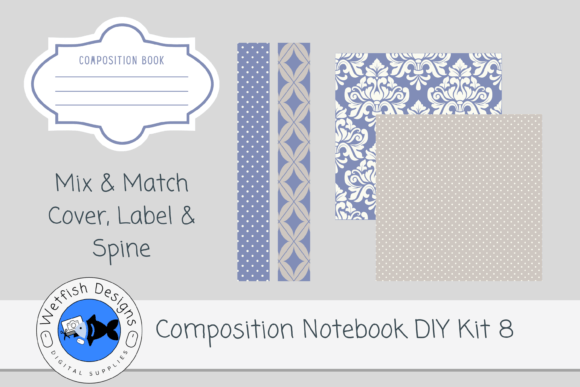
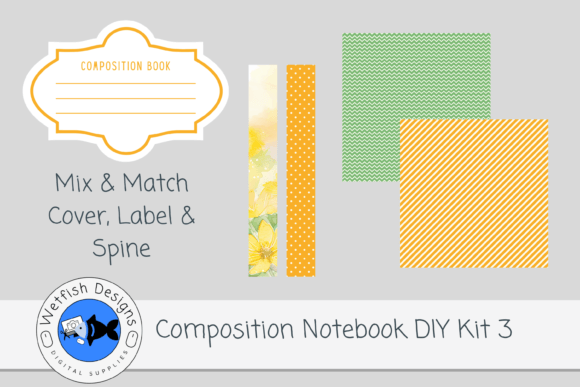
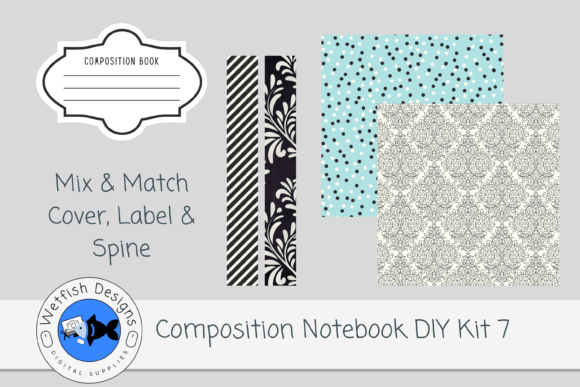
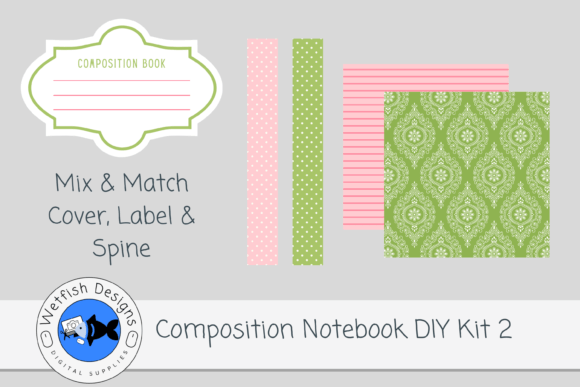
Creating standout composition notebook covers for Kindle Direct Publishing (KDP) no longer means starting from scratch—or relying on generic stock assets that blend in rather than stand out. Composition Notebook DIY Kit 2 for Canva is a purpose-built, print-ready resource designed for creators who value control, consistency, and visual polish—without sacrificing time or technical overhead. It delivers precisely what KDP cover designers need: high-resolution spines and cover papers in coordinated color palettes, plus an editable Canva template that adapts to your exact trim size and layout preferences.
Why This Kit Fits Real Creative Workflows—Not Just Trends
Today’s self-publishing landscape rewards speed *and* distinction. More than 2 million new titles launch on Amazon each year—and notebooks, journals, and planners make up a fast-growing segment of that volume. But unlike fiction or nonfiction books, composition notebooks compete on immediate visual appeal: shoppers scroll past dozens of covers in seconds, often judging by texture, contrast, and intentional design cues like spine alignment or paper grain. That’s where kits like this one shift the balance. Rather than piecing together low-res elements or wrestling with bleed zones and DPI settings, you get two 300dpi PNG spines and two 12×12-inch JPG cover papers—each crafted to align cleanly, scale predictably, and hold detail through KDP’s print process.
This isn’t about chasing “viral” aesthetics. It’s about reducing friction in a step that used to require Photoshop expertise or outsourcing. The inclusion of a Canva template bridges the gap between flexibility and precision: drag, resize, layer, and export directly—no manual math for spine width or gutter margins. And because the PDF download includes the fully editable source file, you’re not locked into preset layouts. You can adjust typography, add custom illustrations, or tweak color overlays—all while maintaining KDP-compliant dimensions.
Mix, Match, and Maintain Brand Consistency
One practical strength of Composition Notebook DIY Kit 2 for Canva lies in its interoperability. The kit doesn’t exist in isolation—it’s built to work alongside other KDP-compatible kits you may already own or plan to acquire. Those two spines? Designed with consistent height-to-width ratios so they pair seamlessly with cover papers from Kit 1, Kit 3, or future releases. The two 12×12 cover papers? Sized to accommodate standard composition notebook trims (e.g., 7.5″ × 9.25″), but also flexible enough to adapt to slightly taller or narrower formats with minimal cropping.
For educators launching themed classroom journals, freelancers building branded client workbooks, or small publishers curating seasonal planner lines, that interoperability adds real operational value. Imagine rolling out a “Back to School” series using one coordinated spine across five different cover papers—or refreshing a best-selling gratitude journal with a new textured paper while keeping the same spine treatment. No redesign from zero. No vendor delays. Just deliberate, repeatable visual language.
What’s Not Included—And Why That Matters
It’s worth noting explicitly: interior pages are not part of this kit. That’s intentional—not an omission. KDP notebook creators fall into two broad groups: those who build interiors from scratch (using tools like Affinity Publisher or Google Docs + batch PDF tools), and those who license or license-adjacent interior templates separately. By focusing solely on the cover system—spine + front/back paper + adaptable Canva framework—this kit avoids bloat, keeps file sizes manageable, and respects users’ existing workflows.
That focus also reflects a broader shift in creative tooling: modular, single-purpose assets are gaining ground over all-in-one bundles. Why? Because professionals increasingly curate their own stacks—Canva for rapid prototyping, Illustrator for vector refinement, KDP’s previewer for final validation. A kit that does one thing exceptionally well integrates more smoothly than one trying to do ten things passably.
Real-World Use Cases Across Professions
Educators use kits like this to create subject-specific notebooks—chemistry lab logs with subtle molecular motifs, poetry journals with soft watercolor textures—that reinforce learning themes without requiring design training. One middle school teacher we spoke with uses the Canva template to drop in her school’s logo, adjust font hierarchy for readability, and export in under seven minutes per title.
Freelance designers building white-label products for coaching clients appreciate the clean separation of spine and cover paper. They’ll often replace the default paper texture with a client-branded pattern, then lock the spine in place—ensuring the printed book reads as cohesive, even when the interior content varies widely across clients.
Small business owners selling printable journals on Etsy or Gumroad combine this kit with their own interior PDFs to offer both digital and physical versions. The 300dpi resolution ensures crisp printing whether ordered through KDP’s POD service or a local print shop for limited runs.
Design Integrity Starts With Technical Precision
Resolution, format, and color fidelity aren’t just specs—they’re guardrails against common KDP rejection reasons. A 72dpi spine will pixelate on a printed book. An RGB-only file may shift unexpectedly in CMYK output. A non-editable JPEG cover forces last-minute tweaks in external tools, increasing error risk. Composition Notebook DIY Kit 2 for Canva anticipates those pain points: PNG spines preserve transparency and sharp edges; JPG cover papers use sRGB color space (standard for KDP previews); and the Canva template defaults to CMYK-safe palettes with clear guides for safe zones and bleed.
Even the packaging reflects this attention: the downloadable PDF contains both usage notes *and* the layered Canva source file—not just a flattened image. That means if you later decide to adjust spacing for a different trim size, or swap a font after reviewing customer feedback, you’re not rebuilding. You’re iterating.
Looking Ahead—Without Overpromising
Will AI-generated cover mockups replace curated kits like this one? Not imminently—and not for creators who prioritize brand coherence, tactile authenticity, or predictable print results. AI tools excel at ideation and variation, but struggle with precise dimensional control, substrate-specific rendering (e.g., how linen texture translates to matte vs. glossy cover stock), and seamless spine-to-cover alignment. Human-crafted kits fill that gap reliably.
What’s evolving is expectation: buyers now notice subtleties—a spine that’s 1/16″ too narrow looks “off,” a paper texture that doesn’t extend fully to the edge feels amateurish. That growing discernment makes tools like this less of a convenience and more of a baseline requirement for serious KDP notebook creators.
If you’ve ever spent hours adjusting a cover in Canva only to discover the spine doesn’t line up in KDP’s previewer—or uploaded a file only to get a “low-resolution” warning—you already know the cost of working without purpose-built assets. Composition Notebook DIY Kit 2 for Canva doesn’t promise overnight success. It offers something quieter, more durable: confidence in execution. And in a crowded marketplace, that kind of reliability is anything but ordinary.