Design Professional KDP Composition Notebook Covers with the Composition Notebook DIY Kit 3 for Canva
If you’re creating composition notebooks for Kindle Direct Publishing (KDP), first impressions matter—especially on the cover. A polished, cohesive, and print-ready design doesn’t just attract buyers—it builds trust, signals quality, and helps your notebook stand out in a crowded marketplace. That’s where the Composition Notebook DIY Kit 3 for Canva and Notebook Journal COVER TEMPLATE Template, Paper and Spines for Composition Notebooks steps in—not as a shortcut, but as a smart, time-saving foundation built for real-world KDP workflows.
What’s Inside the Kit—and Why It Matters
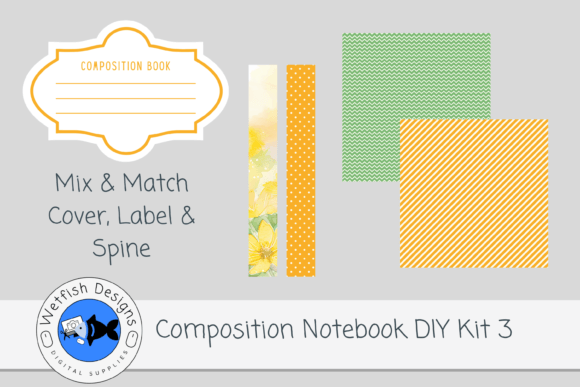
This isn’t just another bundle of graphics. The Composition Notebook DIY Kit 3 is thoughtfully curated to solve specific pain points KDP creators face: inconsistent sizing, low-resolution assets, mismatched colors, and tedious manual alignment. Here’s exactly what you get:
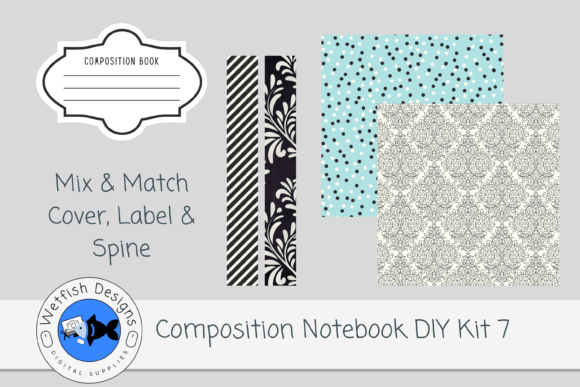
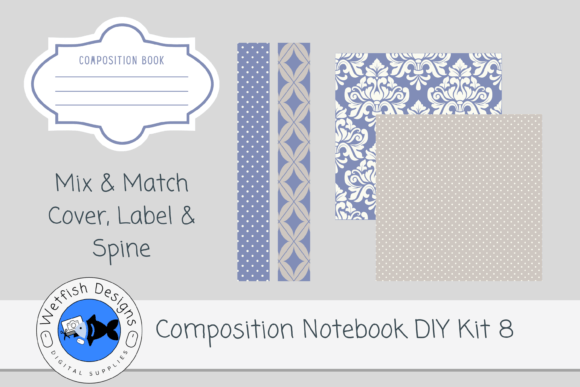
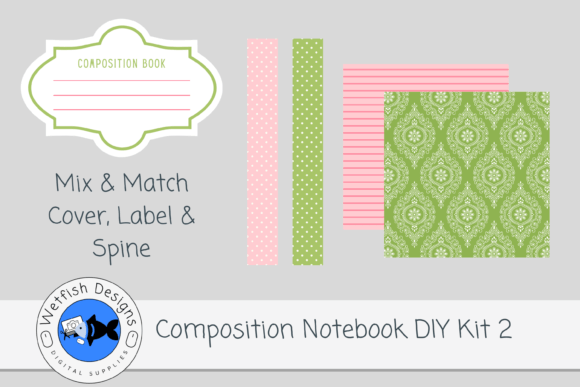
- Two high-resolution spine files in PNG format, saved at 300 DPI—crisp, transparent, and ready for precise placement on any cover layout.
- Two 12×12 inch cover paper designs in JPG format, also at 300 DPI—ideal for front and back covers, with intentional bleed space and balanced visual weight.
- A fully editable Canva template pre-sized for standard composition notebook dimensions (typically 7.5″ × 9.25″), including spine width calculations based on your interior page count.
- An attached PDF source file containing layered, editable elements—so you can tweak colors, fonts, or layout details without starting from scratch.
Crucially, this kit focuses exclusively on the cover system. Interior pages are not included—by design. This keeps the file lightweight, avoids copyright complications, and gives you full creative control over your interior formatting, typography, and content strategy.
How It Fits Into Your KDP Workflow
KDP publishing isn’t just about uploading a file—it’s about consistency across a catalog, speed-to-market, and minimizing revision loops. When you use the Composition Notebook DIY Kit 3, you’re integrating a repeatable, scalable asset into your production pipeline.
Imagine launching five new notebooks in one month. Without a unified cover system, you’d spend hours resizing spines, adjusting color balance between front/back/spine, and second-guessing bleed margins. With this kit, you open Canva, drop in your chosen paper design, layer on the matching spine, add your title and subtitle using the built-in text placeholders, and export—ready for KDP preview and upload.
The 300 DPI resolution ensures sharpness both on screen and in print. Unlike web-optimized images that blur or pixelate when scaled up, these assets hold detail even when zoomed in during KDP’s online preview tool. And because the spines are PNGs with transparency, they blend seamlessly over patterned or textured papers—no awkward white borders or misaligned edges.
Mix, Match, and Scale Your Brand Identity
One of the quiet strengths of the Composition Notebook DIY Kit 3 is its flexibility. The coordinating color palettes aren’t rigid themes—they’re harmonized foundations. You might use the teal-and-cream paper for a mindfulness journal, then swap in the charcoal-and-sage spine for a productivity planner—even if those two elements originated from different kits in the same series.
This “mix-and-match” capability lets you build a recognizable brand language across multiple niches: bullet journaling, classroom resources, gratitude tracking, or academic study aids. Consistency doesn’t mean monotony. It means customers scrolling through your Amazon storefront instantly recognize your style—clean lines, intentional contrast, professional spacing—because your covers share underlying design DNA.
And because the Canva template is fully editable, you’re not locked into preset layouts. Need extra space for a subtitle? Adjust the text box. Want to add a small icon or badge in the bottom corner? Drag and drop. Prefer a serif font for your title and a clean sans-serif for your tagline? Change it—no design software expertise required.
Why Canva Integration Changes the Game
Canva isn’t just convenient—it’s accessible. You don’t need Adobe Photoshop or Illustrator licenses to produce KDP-ready covers. With the Composition Notebook DIY Kit 3, Canva becomes your design hub: intuitive drag-and-drop, real-time collaboration, cloud-based version history, and one-click export to PDF (print-ready) or JPG (for previews).
The included Canva template goes beyond basic sizing. It includes labeled layers: “Front Cover Area,” “Spine Zone (Width Calculated for 120 Pages),” “Back Cover Safe Zone.” These labels act as guardrails—not restrictions. They help prevent common KDP rejections like text cut off in the gutter or critical elements falling outside the printable area.
Bonus: Since Canva supports custom dimensions, you can easily adapt the template for non-standard sizes—say, a slim 5×8 notebook or a wide-format 8.5×11 lined journal—without rebuilding from zero. Just duplicate the template, adjust the canvas size, and reposition your spine accordingly.
Real-World Use Cases and Smart Pairings
Here’s how creators are already using the Composition Notebook DIY Kit 3 in practice:
- Educators building themed classroom notebooks—science labs, poetry journals, or vocabulary trackers—use the vibrant paper designs to signal subject matter before a student even reads the title.
- Coaches and course creators bundle physical notebooks with digital programs. A cohesive cover design (using this kit) reinforces their brand across touchpoints—email, landing page, and printed workbook.
- Indie authors expanding beyond eBooks now offer companion workbooks. Instead of outsourcing cover design for each new title, they customize one Canva file—keeping costs low and turnaround fast.
- Print-on-demand entrepreneurs testing niche markets (e.g., “Catholic prayer journals” or “ASL practice notebooks”) iterate quickly: swap icons, update titles, change accent colors—all within minutes.
It’s also worth noting how well this kit pairs with other KDP tools. Combine it with a professionally formatted interior PDF (from tools like Atticus or Kindle Create), add an optimized Amazon description with targeted keywords (“college ruled composition notebook,” “lined journal for students,” “KDP notebook cover template”), and you’ve got a complete, conversion-focused product listing.
What to Consider Before You Download
While the Composition Notebook DIY Kit 3 solves many common challenges, it’s designed for a specific purpose—and knowing that helps you choose wisely.
First, confirm your project needs a cover-only solution. If you’re also searching for interior page templates (ruled, dotted, blank, or graph), look for complementary interior kits—this one intentionally excludes them to keep focus sharp and files lean.
Second, check your comfort level with Canva. While no advanced skills are needed, basic familiarity with layers, grouping, and exporting helps you move faster. If you’re completely new, Canva’s free tutorials take under 20 minutes—and the template’s clear labeling makes learning frictionless.
Third, consider your long-term catalog goals. If you plan to release dozens of notebooks, investing in a cohesive kit series—like this one—pays dividends in branding efficiency, customer recognition, and reduced design fatigue.
Finally, remember: great covers support great content. The Composition Notebook DIY Kit 3 gives you the professional polish—but your voice, your audience insight, and your attention to detail in the interior experience are what turn a single sale into a loyal reader.